LOADING OSUMAUK
A no-nonsense guide to osu!standard skins in 2026: what they actually change, how to install a .osk in ten seconds, why the top ranks run minimal setups, and accurate breakdowns of the skins people search for most: mrekk, WhiteCat, Cookiezi, Aireu, RyuK and Vaxei.
By Mauk HK
Open any osu!standard top-100 replay and one thing jumps out before the aim or the acc does: almost none of them are running the default skin. Skins are the single most personal piece of an osu! setup, and they are also one of the most misunderstood. New players assume a skin is just a cosmetic re-paint. In practice a skin controls how clearly you read the playfield, how your eyes track the cursor, and how much visual noise sits between you and the next note. This guide explains what a skin actually is, how to install one, what separates a good skin from a flashy one, and gives accurate, honest breakdowns of the specific top-player skins that people search for by name.
A skin is a folder of images, sounds and a configuration file (skin.ini) that replaces osu!’s default art and audio. It swaps out hitcircles, the approach circle, sliders, the cursor and cursor trail, hit-burst feedback (300/100/50/miss), the combo and accuracy fonts, menu graphics, and hitsounds. It does not touch the beatmap, the difficulty, or the timing. A skin cannot make a map easier in the rules sense. What it changes is readability, and readability is exactly what wins and loses combos at the top level.
Skins ship as .osk files. A .osk is just a renamed .zip with a specific extension that tells osu! to import it. You never unzip an .osk yourself. Let the client do it.
A skin can be either SD (standard definition) or HD. HD skins include @2x assets that stay sharp on high-resolution monitors. If a skin looks blurry, you are almost certainly running an SD-only skin scaled up on a 1440p/4K display. Grab the HD variant instead.
Installing is genuinely a ten-second job. The fastest path is to let osu! handle the file directly.
1. Download the skin’s .osk file.
2. Make sure osu! is running.
3. Double-click the .osk  (or drag it onto the osu! window).
   → osu! imports it and switches to it automatically.

Manual fallback (if double-click does nothing):
  Options → Skin → "Open skin folder"
  Drop the unzipped skin folder in there, then
pick it from the "Current skin" dropdown and Save.Scroll through the global leaderboards and you will notice a pattern: the higher the rank, the cleaner the skin. There is a reason this is not just fashion. A skin that strips away decorative slider borders, busy hit-bursts and heavy follow-points reduces the amount of information your brain has to filter out frame by frame. When you are reading a 250+ BPM stream or a sharp jump pattern, every pixel of visual noise is a pixel competing for attention with the next circle.
"A skin should make the next note easier to see, not the screen prettier to look at. Everything else is decoration you will eventually turn off.
Minimal does not mean ugly or empty. It means deliberate: a hitcircle you can read instantly, a cursor you never lose, and feedback that confirms a hit without flashing across the playfield. The most-copied competitive skins are minimal precisely because they were tuned for reading under pressure, not for screenshots.
The hitcircle is the most important element on the screen. A good one has a clean, high-contrast ring, a thin or absent inner border, and a combo number that is legible at small circle sizes (CS5+). The approach circle should clearly collapse onto the hitcircle without merging into it visually. Many top players thin the hitcircle overlay or remove the inner fill so the number reads cleanly against the ring.
A good cursor is small, sharply defined, and high-contrast against typical backgrounds. The trail is a personal call: a long trail helps some players track fast aim, while others run no trail at all to cut motion noise. The key is a cursor you can locate at a glance after a big jump. Losing the cursor for even a frame costs accuracy.
Good skins minimise distraction: simple sliderbodies, restrained follow-points, and hit-bursts (the 300/100/50 pops) that are small or disabled entirely. Consistency matters too: fonts, colours and sizing that match across menu and gameplay keep the experience calm. A skin that screams during a miss is a skin that breaks your focus on the next pattern.
Pro tip: you do not have to commit to a whole skin. "Mixing skins", pulling your favourite hitcircle from one skin, the cursor from another, and hitsounds from a third, is standard practice. Just copy the relevant files into one skin folder; later files win when names collide.
Want proof a skin actually helps you read rather than just looking cleaner? Play a map, then load the replay in our Replay Analyzer and compare your unstable rate and hit-error between two skins: real readability shows up as tighter timing, not a nicer screenshot.
These are the skins most commonly searched by name. Descriptions are based on the public skin archives and the players’ own releases. Top players iterate constantly and often run private, unfinished, or per-mod variants, so treat these as the recognisable public versions rather than a single canonical file. Download links rot fast and reuploads are everywhere. Use the resources at the end of this article rather than any random mirror.
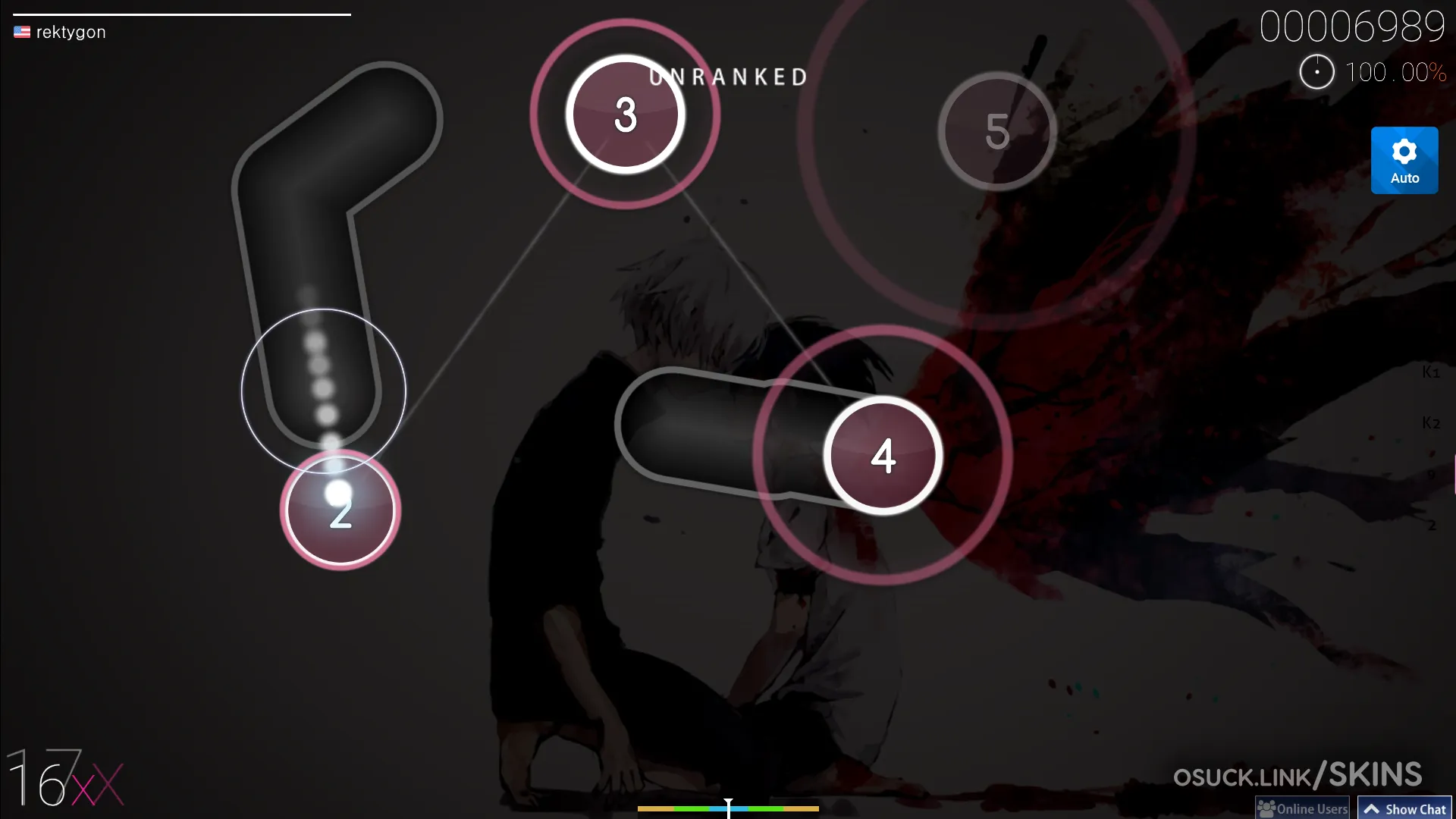
mrekk, long the world’s #1 and the defining aim player of the era, runs skins that are clean and aim-focused. His widely-circulated "aquarium" line and assorted HDDT-oriented setups favour a crisp hitcircle, a clearly readable combo font, and a tracking-friendly cursor, exactly the low-clutter philosophy you would expect from someone reading high-AR Double Time aim all day. Multiple community archives catalogue his versions; there is no single "the mrekk skin," so expect several variants.
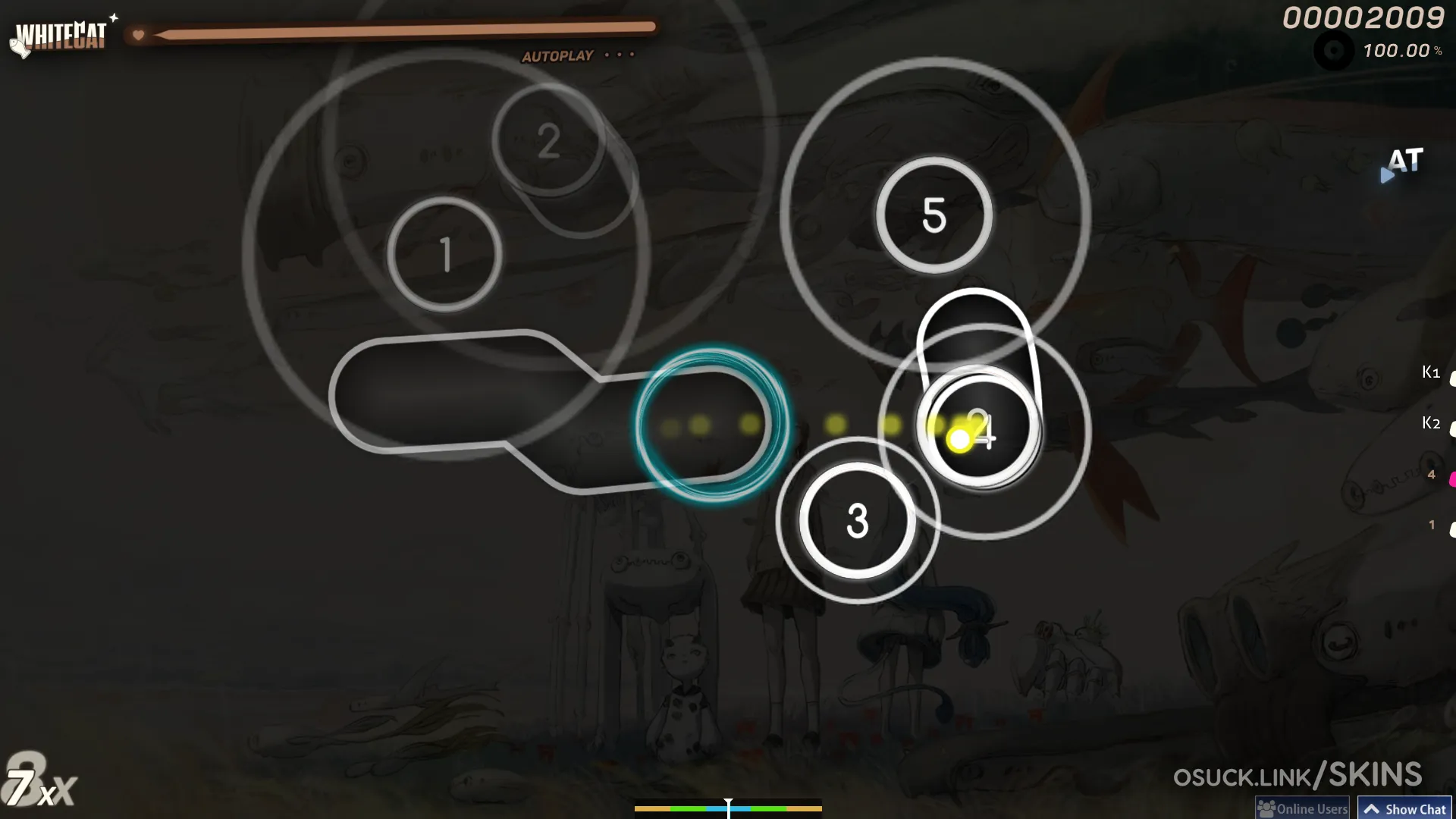
WhiteCat by cyperdark is probably the most downloaded "clean" skin in the game and a default recommendation for new players. It runs through versions 1.0 to 3.0, and v3 ships a "v3-plain" gameplay variant that is an intentionally minimalist, stripped-down version of the main skin. It is the textbook clean skin: legible hitcircles, a tidy cursor, neutral colours, and broad aspect-ratio support (16:9, 16:10, 21:9, 4:3 and more). If you want one safe starting skin, this is it.
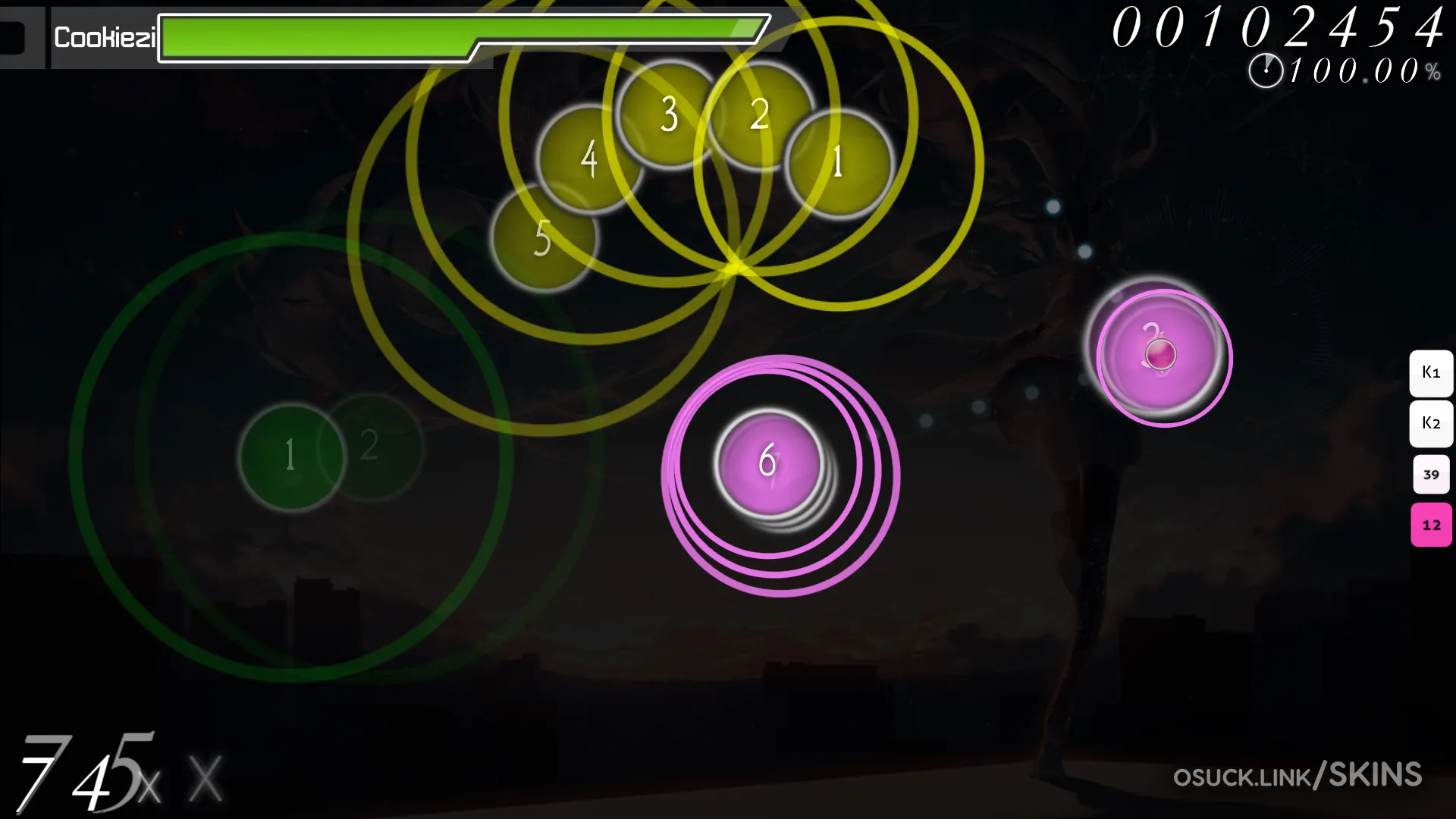
Cookiezi (who has also played under the name chocomint) is the most famous osu! player of all time, and his skins are heavily referenced. His public skins are largely variations built on the "Selyu" skin lineage. Note that many of the original Cookiezi skin downloads are long dead, and what circulates today is mostly community reuploads and edits, so be sceptical of anything labelled "the real Cookiezi skin" and verify against an archive.
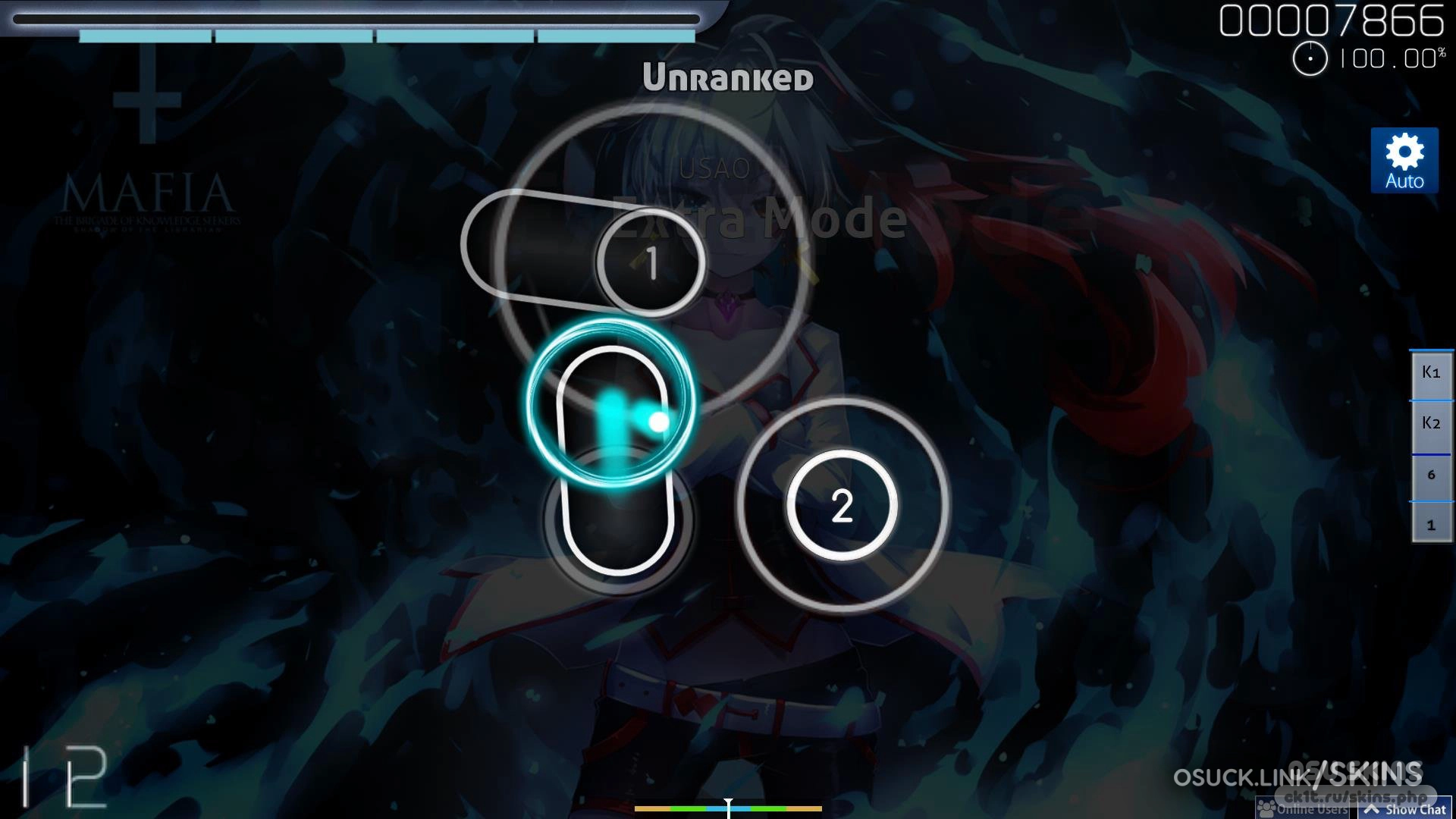
Aireu is a well-known skinner-player whose work shows up across the major skin databases (including Circle People) and in other top players’ collections. The Aireu name is associated with clean, well-balanced gameplay skins rather than one signature gimmick, which is why elements of it get borrowed into mixed skins so often.
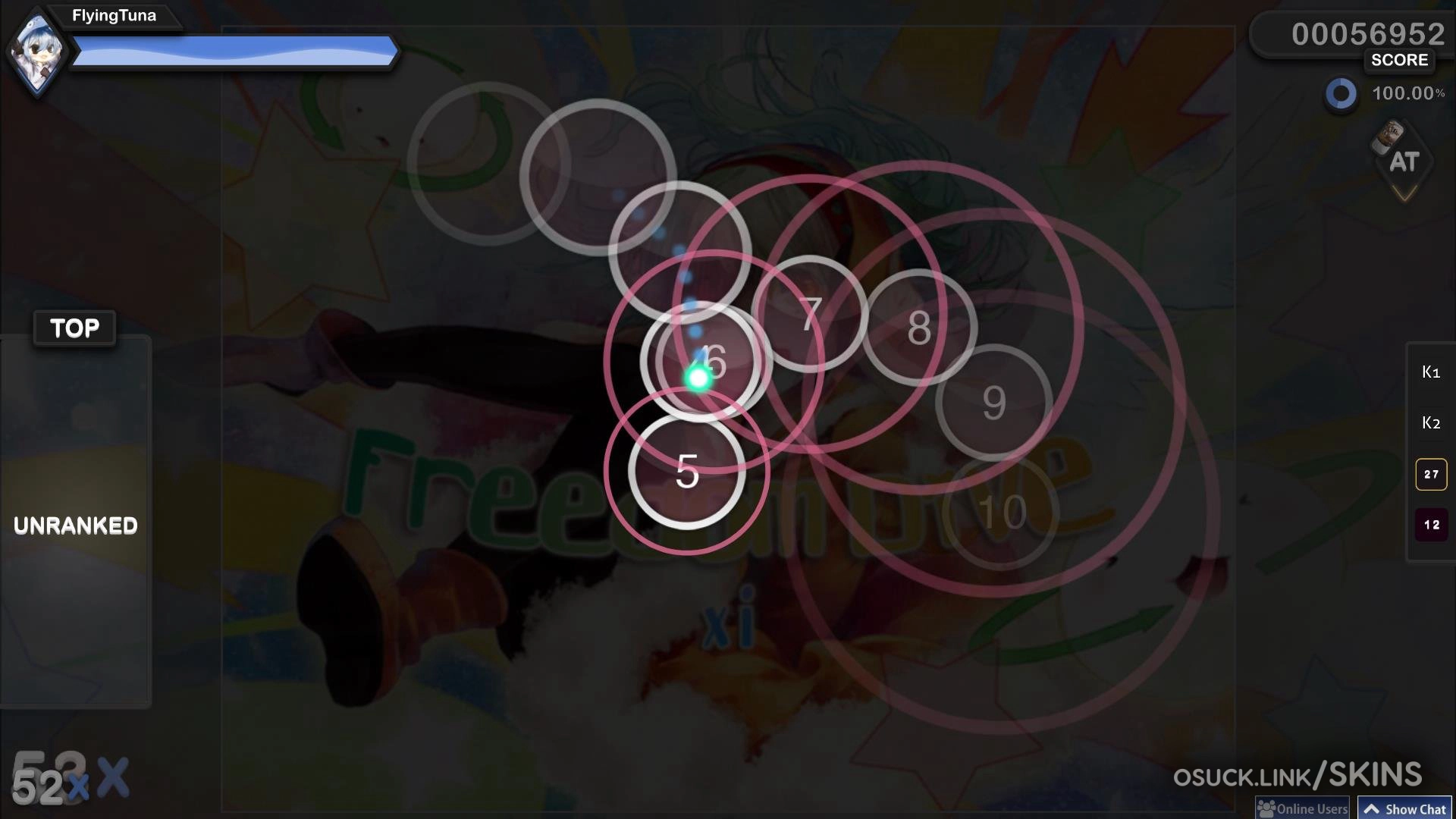
RyuK has one of the most thoroughly documented skin collections in the game: community-maintained GitHub repos track dozens of his versions and edits across different themes. As with most top players, several of his skins are private or unfinished and never get a clean public release, so the archives capture the recognisable ones rather than everything he has ever run.
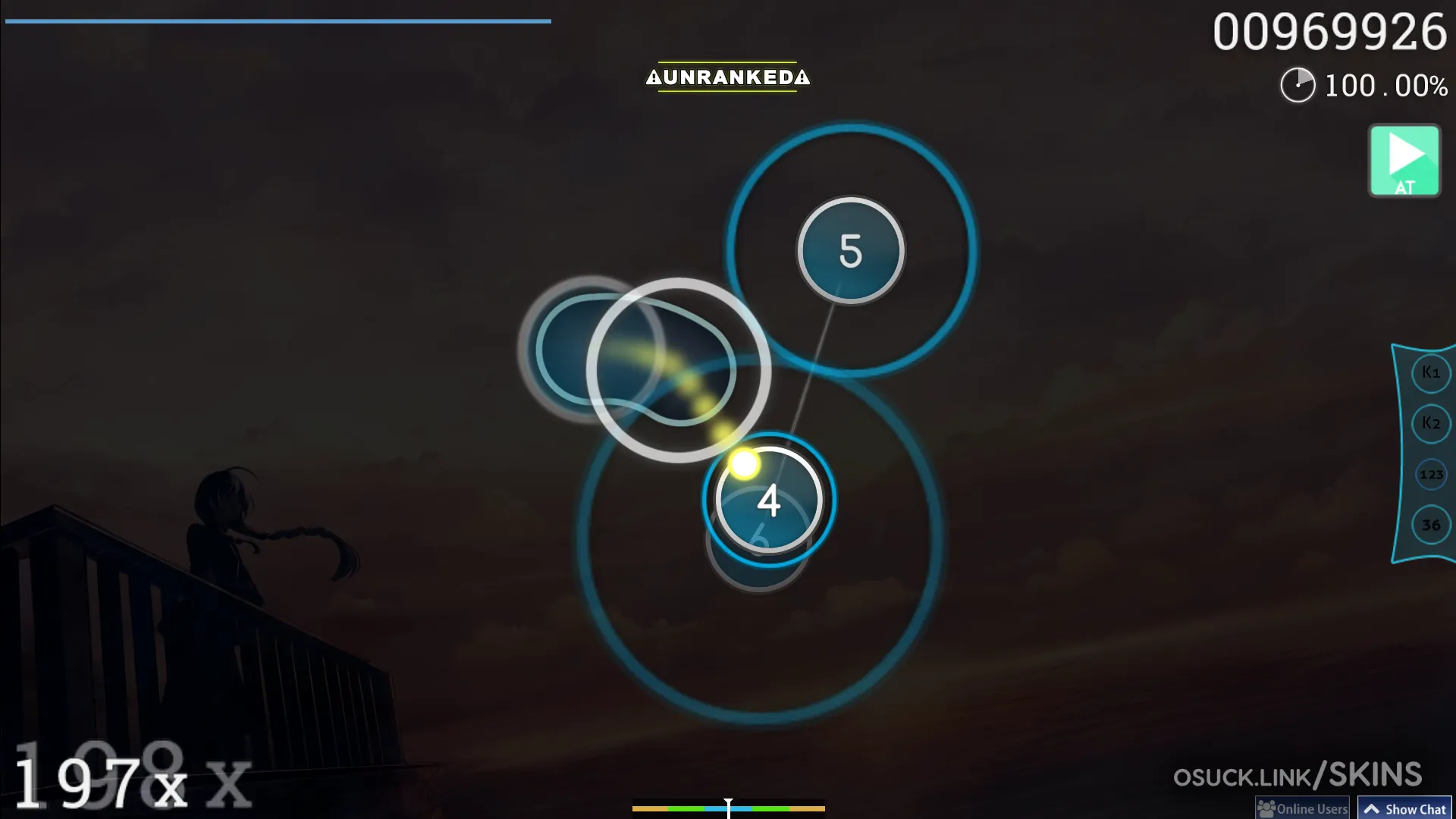
Vaxei, known for monstrous high-BPM stamina plays, has a well-catalogued skin history including the popular "bacon boi" line and various nomod-oriented versions. His setups lean toward clear, no-frills gameplay elements that hold up under long, dense streams. Again, the minimal-for-readability pattern.
| Skin | Style | Best for | Notes |
|---|---|---|---|
| WhiteCat (cyperdark) | Clean / minimal | Beginners & all-rounders | v3-plain is the most stripped-down variant; the safest first skin |
| mrekk (aquarium / HDDT) | Aim-focused, low clutter | High-AR aim & HDDT | Several public variants exist; no single canonical file |
| Cookiezi / chocomint | Classic, Selyu-based | Nostalgia & all-round play | Mostly community reuploads now; verify the source |
| Aireu | Balanced clean | Mixed/borrowed elements | Widely catalogued; great parts to mix in |
| RyuK | Varied / many editions | Players who like options | Heavily documented on community GitHub repos |
| Vaxei (bacon boi / nomod) | No-frills readability | High-BPM streaming | Holds up under long dense streams |
Player skins get reuploaded endlessly, and dead links are the norm. Stick to the maintained archives below, and when in doubt, check the player’s own osu! profile or pinned community posts for what they currently run. We are deliberately not linking individual .osk downloads here because those URLs break within months.
If you are just starting, install WhiteCat, play for a week, and pay attention to whether you can always read the next circle and never lose the cursor. From there, mix in the hitcircle or cursor you like best from a top-player skin and trim anything that distracts you. The "best" osu! skin is not the prettiest one. It is the one that gets out of the way so you can read the map. That principle is exactly why the global top ranks all converge on clean, minimal setups, and it is the only rule you really need when picking yours.